Hey Everyone!
Just wanted to say, I'm Back! So my family and I all of a sudden got an offer on our home and had 30 days to find a house, finish our punch list on our own home and pack up, move and celebrate Christmas all at the same time!! Seriously the MOST stressful time of my life. BUT it has all worked out and we are in our new home...yay!!! So, The Redheaded Princess blog has suffered. I'm almost unpacked but still getting setted, so I will try my best to keep up the posts. Hope your Christmases and New Year were amazing and looking forward to 2012. Thanks for your support!
Jess

Monday, January 9, 2012

How to Make a Princess Cake

Okay, so living in a house filled with girls, princess cakes are a MUST! If you have girls, then you know what I mean. I have now made these 4 times and the girls just love them. (Although this year my Princess8 is growing out of the super girliness and didn't want one for her birthday. :( )So, here's my tutorial on making a princess cake. It's super easy and the girls LOVE it!

So anyway, there are two options to making this cake (that I use). The glass bowl on the left is the large batter bowl from Pampered Chef (LOVE my PC stuff!) and the metal bowl on the right is a kit my DMIL (dear mother in law) found at a yard sale for a couple bucks. I usually used the kit but was missing the nut this time which held the foot on it. (I ended up replacing it later at Home Depot).

Liberally grease and flour the pan/bowl. I usually use a sandwich bag. So much cleaner.

Mix cake according to package directions. Easy right?!

Pour batter into prepared dish. Bake at 350 degrees Fahrenheit for 40-50 minutes. But really, just keep an eye on it. Every oven is different so you have to go by how your cooks.

This was actually missing in the original kit but I found it for only $5 bucks at Michaels and if you use the coupon in the Sunday paper you get 40% off!

Turn upside down on the final cake plate.

If you don't like the uneven bottom, you can level it off with a knife or a piece of kitchen twine. I didn't bother because I knew it was going to be covered up with frosting.

Separate frosting to make desired colors. I made Cinderella so I only used blue and white.

Using a cake spreader, spread your initial layer of frosting.

Next, use the spreader to fancy the frosting up. I like uniform lines so it kind of looks like pleats in a dress. I'm no professional chef/baker so this is as good as mine gets.

Now insert your naked doll :)

Use the spreader and fingers, if necessary, to apply frosting to her.

Using a pastry bag (or large ziploc bag) and cake decorator tips (you can buy a simple set for cheap at Walmart or Michaels) Decorate the bottom of the dress to fill in the gaps from the unevenness.

Next change tips and color of frosting and add the white. I tied her hair up and used a barbie tiara. Voila! Cinderella Cake! So easy anyone can do it!

Tuesday, December 20, 2011
Tip Tuesday: Make your Own ringtone for your Iphone!!
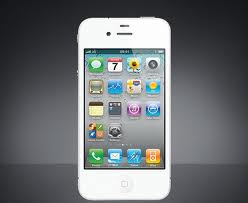
So, what I did was go to THIS SITE and followed the directions. However, I ran into a couple glitches and had to read ALL the comments until I figured it out. Hope this helps!
1. First, open Itunes.
2. Locate the song you wish to create a ringtone with and play it. Write down the start and stop times of the section you wish to use. Be careful to stay under 30 seconds. (I did Bruno Mars Lazy Song at start 0:49.5 Stop 1:11.8)
3. Right click on the song and click Get Info
4. Go to the Options tab and click on the Start box and enter the start time you noted. Do the same with the Stop box. Click OK
5. Right click on the song again and Click Create AAC version
6. After it's created right click on the short version and click Show in Windows Explorer
7. Now you need to Rename the file to a shortened name and change the .m4a extension to say .m4r. Here's where I had a hangup. I couldn't change the extension. If you can’t change the ext. Go to Control Panel, Appearance and Personalization, Click Folder Options,Click the View tab, , uncheck “Hide extension…”. Click OK.
8. Drag file to desktop.
9. Delete the file from the playlist. (If it asks, keep file, do not move to trash.)
10. Double-click the file which will now open in iTunes. Check your Tones folder, the file should be there.
11. Now plug your iphone into your computer. When your phone is recognized. Click on it in the left sidebar so that you can see all of it's info. At the top, you should see a few different tabs. Click on the Tones tab. Make sure Sync Tones is checked and then All tones should be marked.
12. Sync your phone and it should show up in your ringtones.
It says you can't create tones with songs downloaded from itune but can only use those ripped from a cd. Not true. I was able to following these directions :)
This ROCKS! Hope it helps you!
Subscribe to:
Posts (Atom)